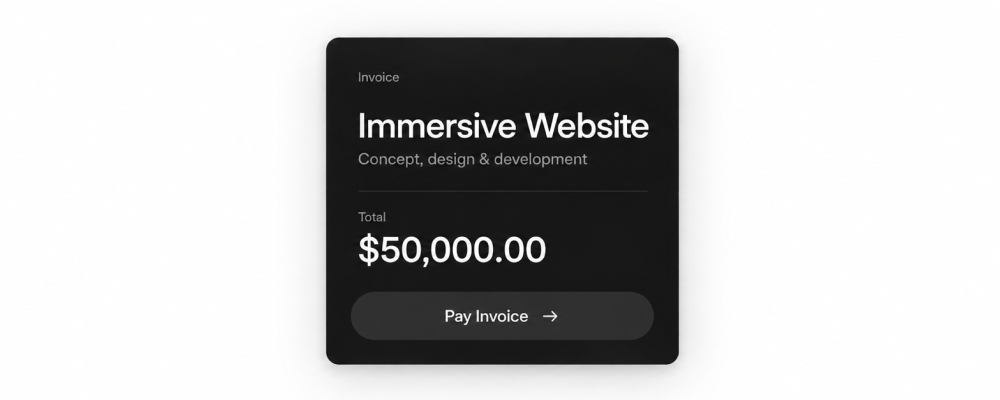
6 things that separate a $50K website from a $5K one
3 min
We get asked this too often: why one website costs ten times another. Here's what I actually point to.
A unified visual style that isn't generic. Every element, every animation, every color choice belongs to the same system, and that consistency is what makes a site feel expensive before anyone reads a word of copy.
Son Daven, by The First The Last (designers Maksym Stepenko and Ivan Chopei), is the cleanest example I can point to: the same attention to detail runs from the hero to the smallest micro-interaction.
Visual storytelling. A real narrative told across three to eleven acts as you scroll, where the story keeps revealing itself the deeper you go.
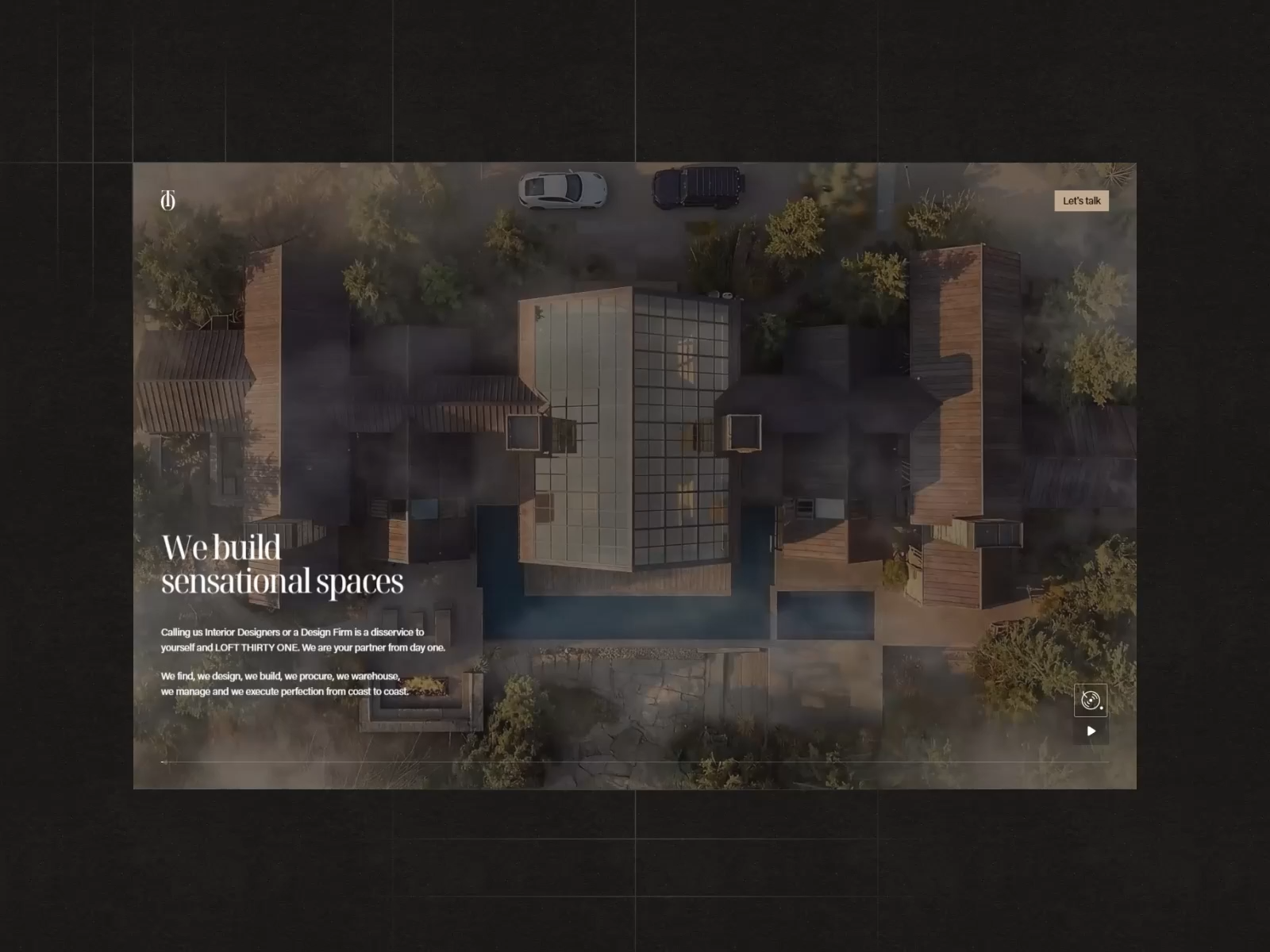
Loft Thirty One, one of our own builds, does this very well. See for yourself:
Every element is interactive. Every headline, every card, everything on the page responds when you touch it.
Floema, by Bürocratik, took Site of the Month on Awwwards for exactly this in May this year.
The ability to surprise. Interactive isn't enough on its own. The best sites behave in ways you don't expect: a hover doesn't just light up a button, it runs a micro-animation inside it, and predictability stops being something to aim for.
Obys Agency turns its own logo into a working piece of the interface instead of a static mark:
Pensatori Irrazionali doesn't collapse its menu, it shakes the blocks off the screen:
Real 3D modeling. A studio that can model a physical product by hand, down to its actual proportions and materials, can visualize anything a client needs. AI alone can approximate an object. It can't match it.
One of our designers rebuilt Framer's branded keyboard from photos in Cinema 4D: every button's contact point, the backlighting, the proportions, matched to the real object at around 98% accuracy.
Doesn't look like it came out of Claude. AI speeds up the routine work here, but it doesn't make the actual design decisions.
The structure, the pacing, what goes first, all of that gets grounded in research on the specific niche, even on an MVP's first iteration, which is the difference between finishing fast and looking identical to the other hundred thousand sites built the same way this month.
What actually closes the deal
None of the above sells as hard as the work itself. On every call, it's the portfolio that convinces someone, not a pitch about process or research. A studio with a weak portfolio has to sell service and process, because that's all it has left.
Follow us on 𝕏 for more of what separates a $50K site from a $5K one. If that's the site you need, start a project with us.
FAQ
Why does a website cost ten times more than another one that looks similar at first glance?
The price difference usually is about unified style, real interactivity, and research specific to the client's niche instead of a template. A $5K site looks finished, but a $50K one is built so every element reinforces the same system.
What do you actually get for $50,000 that you don't get for $5,000?
A visual language carried consistently across every element, the highest precision into every detail, a real narrative built into the scroll, interactions that go beyond hover states, and in some cases custom 3D modeling of actual products, not their AI approximations.
Is a cheap AI-built website, like one made in Claude, good enough for a real business?
It can work for testing an idea fast, but most AI-built sites look alike, same gradients, same icons, because the model is making the design decisions instead of research. A studio using AI as an accelerant, not the decision-maker, avoids that look even at MVP speed.
How do you know if a web design studio is actually good, before hiring them?
Look at the portfolio, not the pitch. A studio that leads with process, methodology, or research slides usually doesn't have the work to back it up. A strong portfolio sells itself in the first ten seconds of a call.
How 12K free page views turned into a $1,300 bill
9 min
Imagine waking up and seeing the website you built everywhere. The Instagram Reel is climbing, the comments are filling up, the thing you spent weeks on is finally working.
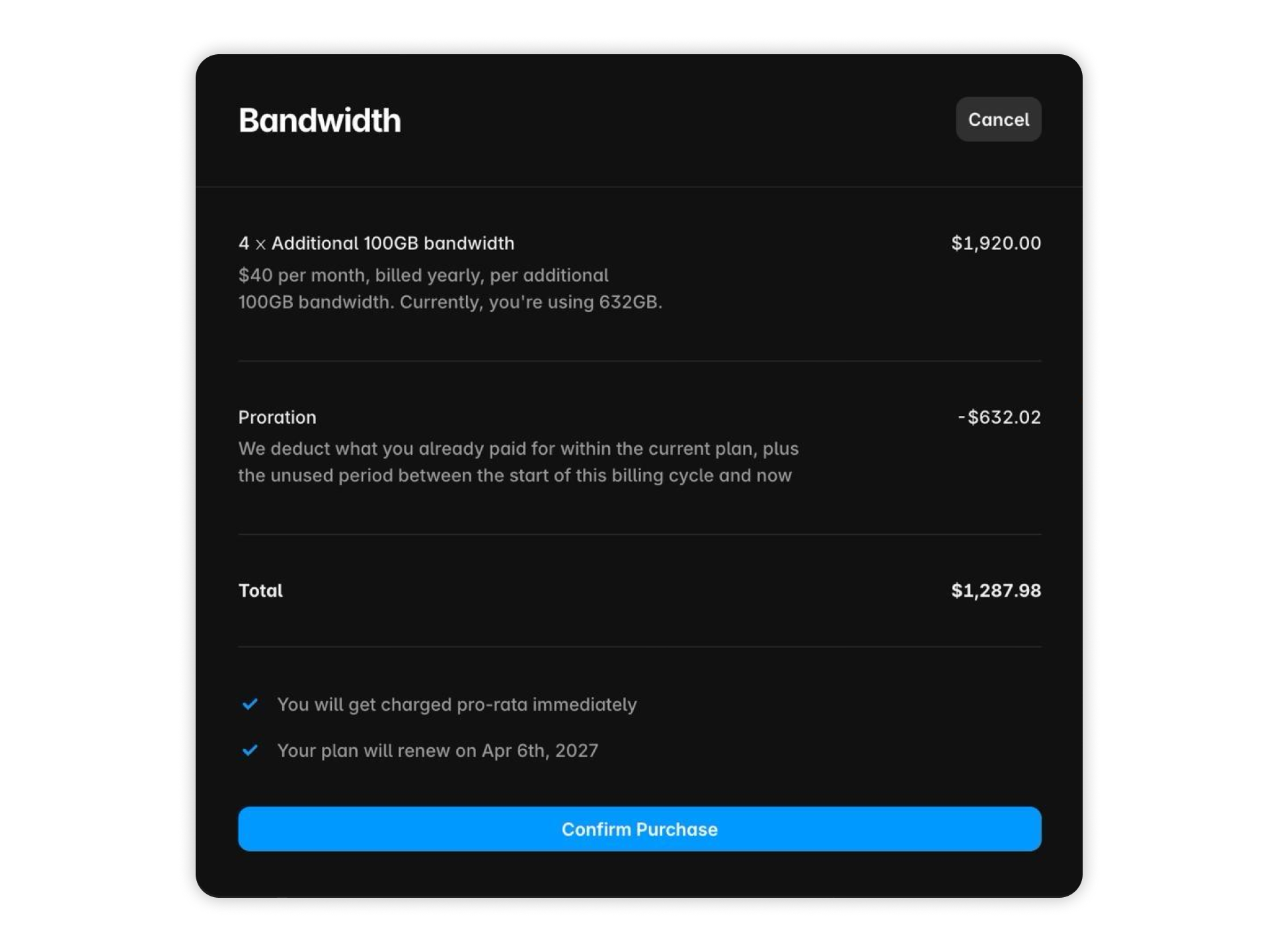
Then your client gets a $1,000+ bandwidth bill:
That's what actually happened to us. We didn't spend a dollar to make Loft Thirty One go viral, but the price for that was almost $1,300 that nobody had planned.
In February 2024, a developer opened the same email from Netlify, and it said $104,500. A static side project that normally sat under 10 GB a month had served 190 TB over four days. The cause was one heavy file, downloaded over and over.
Our bill was smaller because we had less traffic, but the mechanism was identical, and so was the surprise.
Here's the step-by-step version of what we learned and the checklist so this doesn't happen to you or your clients. Save & share it!
First, what bandwidth actually is (because the invoice makes no sense without it)
Bandwidth is the total amount of data your site sends to visitors. Someone opens a page and the server ships them the HTML, the fonts, the images and every frame of video on it.
Add that up across everyone who visits, and you get the number your host measures, includes some of it in your plan, and bills you for past that point.
A rough estimate is page weight multiplied by visits. That is the whole formula, and it decides your invoice. Here's what it looked like on Loft Thirty One.
What Loft Thirty One is, and where the $1,000 went
Loft Thirty One is an award-winning, full-service design-build firm based in the US. We’ve built their website around full-bleed video and immersive scroll sequences.
Then we posted the website on our Instagram and it went viral, gaining 38,700 likes and 7,633 comments without any paid promotion. Awwwards gave it an honorable mention around the same time and started sending traffic of its own.
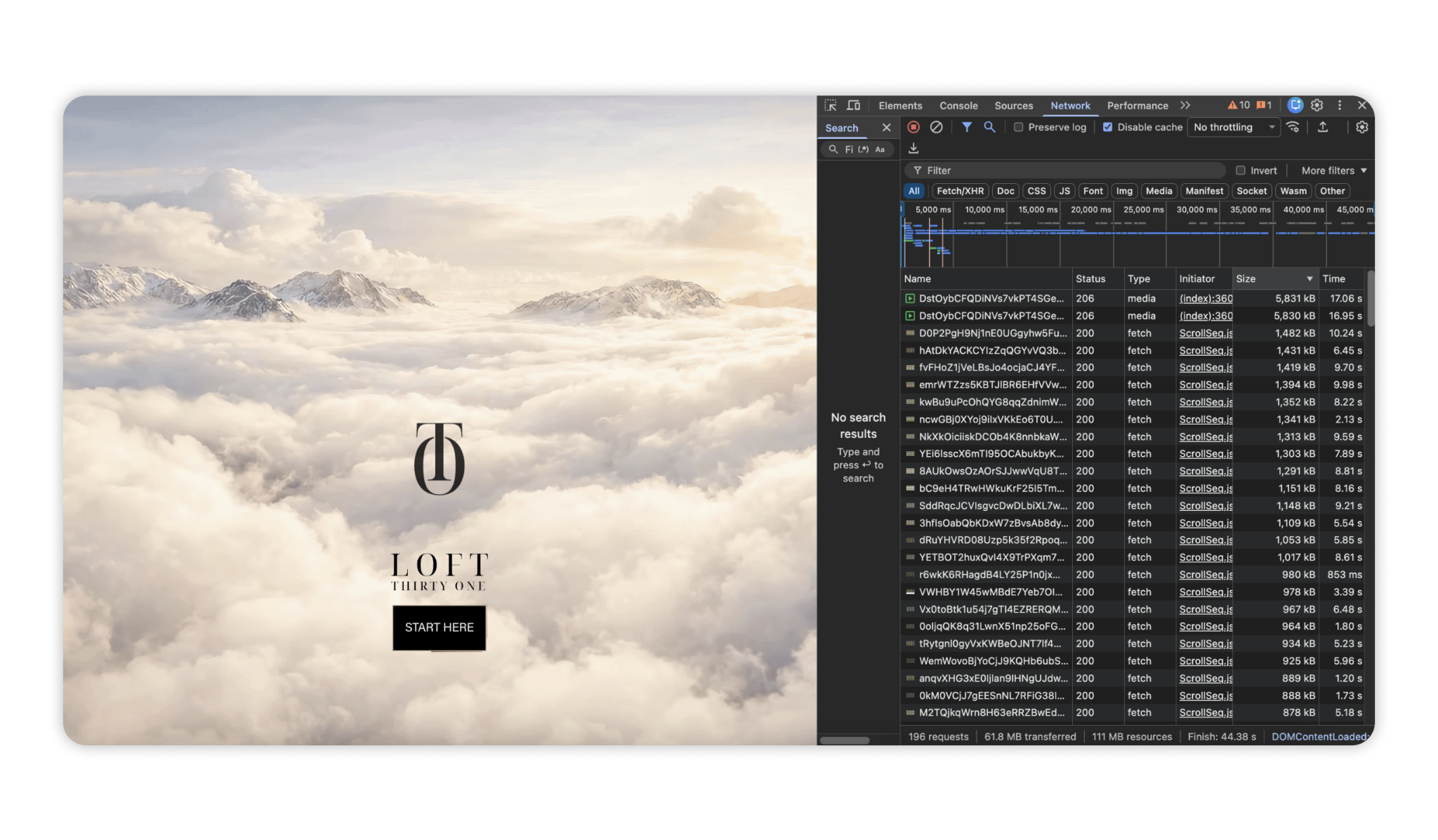
Here’s what one visit to that site looked like with the cache disabled: 196 requests, 61.8 MB transferred, and 44 seconds to finish loading. The single heaviest thing on it was the scroll sequence: a folder of sliced frames the page pulls through as you move down it.
Across our projects, an average production site runs 8 to 15 MB per load, so Loft Thirty One costs about five times that on every visit. Multiply that by roughly 12,000 page views the website got, and that's the formula from above turning into a real invoice.
The background video was the one thing that cost us nothing, because we hosted it on Vimeo. The media Framer served itself, the two rows at 5.8 MB each, went straight onto the bill.
The number nobody checks before launch
A normal production site on a Basic plan runs out at around 5,000 page loads.
That counts loads, not people. This means one visitor who opens three pages uses three of them, and a good session costs you more than a bounce.
A Product Hunt feature might get through 5,000, and so does an Awwwards feature, or one viral post.
Before you launch anything, you should know your own version of that number. Here’s how.
Step 1: what your page weighs
Measured across our own projects:
Clean landing page, no video: 3 to 5 MB per load
Normal production site: 8 to 15 MB per load
Showreel, interiors, autoplay, scroll sequences: 20 to 70+ MB per load
One visitor to a sequence-heavy site pulls more data than a hundred visitors to a simple landing page. Most people building the second kind have never seen the first number.
Step 2: what your Framer plan holds
As of September 2026:
Free: 1 GB
Basic: 50 GB
Pro: 100 GB
Over that: $40 per 100 GB, up to 2 TB
Divide one by the other and you get your limit. Basic covers about 17,000 loads for a 3 MB landing page, while Pro covers about 33,000. For a 10 MB website, Basic covers about 5,000, and Pro covers about 10,000 loads.
Now put Loft Thirty One into that maths and you can see the invoice coming from a long way off.
Crawlers bring zero revenue and still cost you
Framer bills every byte that leaves its servers, whether it's a paying customer or a bot. A crawler never converts, never buys, never becomes a lead, but it consumes bandwidth exactly like a real visitor, and you're billed for both the same way.
Googlebot and other rendering crawlers cost roughly 3 to 20 MB on our projects. The AI crawlers take a share on top of that, GPTBot and ClaudeBot and Bytespider among them.
Framer's own HTML runs 0.5 to 1 MB per page before a single image loads, so Googlebot spends most of a megabyte just to read your headline.
Social previews cost less than a visit and more than zero. X, Facebook and LinkedIn each fetch your HTML plus the preview image.
The better your launch goes, the more of your plan gets spent.
The three files that weigh more than anyone expects
This is the part that surprised us:
Fonts. You pick one family and assume 30 KB. We measure 0.7 to 1.3 MB on real projects. Regular, Medium, Bold and Italic each ship as a separate file. The page is still empty and it already carries the weight of a small photo gallery.
The HTML. Text should be cheap, so people budget 50 KB for it. A Framer page runs 500 to 1000 KB of markup. On one of our builds a single document came in at a megabyte on its own. Every visitor and every crawler downloads it before anything appears on screen.
Animated SVG. For icons, SVG is a great way to optimize your website size. But the size increases when the vector starts moving. A morph animation, or an illustration built from hundreds of anchor points, is a wall of coordinates written straight into the document, and Framer compresses images to AVIF while leaving vectors exactly as they are. We have seen pages carrying more than 200 of them where the document alone reaches a megabyte.
What does not count against you
Framer only bills what leaves Framer's servers, and files hosted elsewhere stay invisible to the meter: YouTube, Vimeo, Spline, Google Fonts.
That's why the Vimeo background on Loft Thirty One was free and the sequence was not.
What happens when you go over
The stories about sites going dark the moment they got popular describe an older policy. In 2026 it works like this.
First month over the limit. Framer emails you and shows a banner in the dashboard. Your site stays live.
Second month. They ask you to upgrade.
After that, automatic plan upgrade, or overage billed at $40 per 100 GB.
Nobody throttles you and nobody switches the site off that day. Traffic comes, you celebrate it, and the invoice reaches you after that.
Do this before your next launch
Stage 1: Budget
Set a page weight budget and write it into the project brief. Decide the number at kickoff, while someone can still say no to the 40 MB hero sequence. After the design is approved, that conversation costs a redesign.
Stage 2: Host
Decide where heavy media lives before you make it. Long videos belong on YouTube or Vimeo from day one, because those bytes never touch your plan. Moving a finished video later costs more than planning it.
Then, move anything media-heavy to Cloudflare R2 + Cloudflare Images + Cloudflare CDN for extremely fast image delivery worldwide.
Scroll sequences need the same treatment and cannot use YouTube. A sequence is sliced frames with its own playback logic. It goes to an R2 bucket, and the component reads from the R2 URL instead of Framer's servers.
Stage 3: Compress
Export images at display size. A 4000 px file inside a 1200 px slot wastes 90% of its weight. Skip 4K unless a client asks. Everything ships as WebP.
Re-encode video to WebM, then ask whether you need video at all. A GIF or a simple CSS transition replaces it more often than designers expect.
Ship two font weights. Four of them cost you more than your hero image.
Audit animated SVGs before launch. Icons are fine, but check the file size of anything that morphs or carries hundreds of anchor points, and simplify it or render it as a raster past 50 KB.
Apply every compression method current browsers support. This one is free and people skip it.
Stage 4: Watch
Check bandwidth analytics in week one, not month two. You want your burn rate while you can still change something.
Watch the first spike. After a launch, a feature or a reel that lands, look at consumption the next morning.
If the bill already landed
Do the following:
Open Framer's bandwidth analytics. Sort by page, then by file: one asset is usually responsible for most of the bandwidth.
Move to Pro or buy the bandwidth add-on now. The spike ignores your billing cycle, and an overage invoice costs more than the plan you were avoiding.
Take the single heaviest asset off Framer. Use Stage 2 above.
Message Framer support. Tell them you have a spike, that you are already optimising, and ask them not to auto-upgrade your plan without warning.
Check the number on the next day. If it has not moved, the leak is somewhere else, and you should go back to step 1.
What building this taught us
Loft Thirty One did everything we wanted from a project: it got attention, an award, and an invoice for the privilege.
That's how we learned that a website is finished when it can carry the day everyone arrives at once, not just when it looks right in a browser.
Follow us on 𝕏 for more lessons like this one. If your next launch needs a site built to survive going viral, start a project with us.
FAQ
Why did I get an unexpected bandwidth notification or bill from Framer?
Framer calculates bandwidth by multiplying your page weight by your total visits and bot crawls. Framer won’t instantly auto-bill you on lower tiers; instead, you get a warning grace period to optimize your site, purchase a bandwidth add-on, or manually upgrade.
What counts as bandwidth on a website?
Every file your server sends to a browser or bot. This includes your core HTML document, CSS stylesheets, JavaScript files, custom fonts, images, and videos.
How many page views can I get before my Framer plan runs out?
It depends entirely on your total page weight. A basic plan with a 100 GB limit covers roughly 50,000 views for an optimized 2 MB page, or 10,000 views for a heavy 10 MB page. Divide your plan's monthly limit by your average page weight to find your maximum views.
Does removing video reduce my bandwidth bill?
Yes, but only if the video files are uploaded directly on Framer. If you switch to embedding videos via external platforms, that delivery bandwidth no longer counts against your Framer limits.
AI influencers are scamming you (no, you can't design those websites with Claude)
3 min
I’ve been designing since 2012, doing commercial design since 2019, and using every AI model since the day it shipped. If one-shot AI websites were real, I’d be the person most motivated to believe it. I could stop paying designers and prompt my way through client work at the cost of tokens. However, it doesn’t work that way.
Why the videos exist
Influencers pushing “I built this entire site with one prompt” videos are chasing clicks, and most of them run referral deals with the AI companies behind the tools.
Some AI companies have directly asked me to say the same thing about their product:
I won’t name accounts or companies here, but this happens more than people realize.
What AI can actually do
If you already have a finished design, Claude can assemble it into a working site.
If there's a live site somewhere, Claude can clone it almost exactly, and it works.
You can find pre-built prompts for specific site styles, on sites like motionsites.ai for example. But look at how those prompts get made: someone takes a site a developer already built and reverse-engineers it into a prompt. The original input was still a professional design, every time.
Me and my team has sold more that 15 designs to MotionSites, that we designed by hand, and now users can just create in “one click”.
Without a real design as the starting point, none of this works. You still need a designer for the concept, and you still need an editor, the same way nobody can one-shot a video edit by asking AI to do it.
How I know, not just suspect
I keep seeing my own team's projects, sites we shipped before Claude even existed, shown in these videos as “built with AI,” just like these:
About 6 months ago I opened Instagram and saw a video with a great-looking site, supposedly built with Claude. The creator promised to teach everyone else how to do the same. My first reaction was real: that's impressive. For about a week I actually wondered if I needed to rethink the business.
Then I scrolled to the same account further and found a site from 2019. One I recognized, because it was the project that introduced me to Awwwards in the first place.
Since then I've started seeing our own submitted work show up on the same kinds of accounts, credited to AI that didn't exist when we built it, and that is a lie I can point to a source for.
Follow us on 𝕏 for more from real client work. If you need an actual website, start a project with us.
FAQ
Can you actually build a finished website with one prompt?
Not really. Claude can assemble a design into a working site, or clone a site that already exists somewhere, but it needs a real design to start from. Every “one-prompt” demo making the rounds started with someone else's finished work.
Why do influencers keep posting “I built this website with one prompt” videos?
Clickbait, mostly, plus referral deals with the AI companies whose tools they're demonstrating. The claim gets attention because it sounds unbelievable, which is exactly the point of posting it.
Where do the pre-built prompts for specific site styles actually come from?
Someone takes a site a developer already built, usually a professional design, and reverse-engineers it into a prompt. The prompt isn't generating the design, it's only recreating one that already existed.
Do AI companies ask people to promote their tools this way?
According to firsthand accounts from inside the industry, yes, some have asked directly for this kind of endorsement.
6 things that separate a $50K website from a $5K one — ubernatural